In today’s IT environment, mobile devices are not just communication tools: they have become an essential part of employees’ daily operations. As organizations move towards BYOD and remote work culture, the importance of securing mobile devices has never been greater. Mobile devices are also an endpoint that increases the enterprise’s attack surfaces, and security teams need to concentrate on that to avoid cyberattacks stemming from mobile devices.
This buyer’s guide aims to provide enterprises with a clear understanding of mobile security solutions, the tools they need, the features to look for while selecting, and more.
Common Mobile Security threats
Before exploring mobile security solutions,its important to first recognize the common threats enterprises encounter.
Phishing Attacks:Cybercriminals often use fake emails, SMS, and more to gain access into IT infrastructure or to trick employee in revealing sensitive informations such as login credentials or financial data. As generative technology improves day by day, the sophistication of phishing attacks is also increasing.
Man-in-the-Middle (MITM) Attacks: Cybercriminals intercept communication between employee mobile device and a organization’s server,allowing them to steal data or inject malicious code in certain scenarios.
Data Leakage: Insecure apps or network connections without proper security can lead to data leakage accidentally, sometimes it happens with employee knowledge.
Device Theft: if a device is lost or stolen with sensitive corporate data,it can pose a significant security risk.
Choosing a Mobile Security Solution for your Enterprise
Selecting the right mobile security solution always depends on various factors,such as size of your team, your budget, and the type of devices your employee use.Below are the key tools you need along with considerations to guide your decision.
Mobile Device Management Solutions
Mobile Device Management(MDM) solutions aids organization to monitor, manage, and secure mobile devices from a centralized console. It allows security team to enforce security polices, and safeguard sensitive data from mobile devices.MDM also provides the ability to lock/wipe stolen devices, and install updates remotely.
Key features to look
👉Easy device onboarding into the MDM.
👉Ability to remotely erase the data if a device is lost or stolen.
👉Geofencing option-ability to enforce security policies based on location to safeguard corporate data.
👉Can it generate reports for compliance audits ?
Top 3 MDM solutions
1.Workspace ONE

Workspace ONE is a all-in-one suite of tools for managing mobile devices from identity management to app management.It provides strong security features for access control,application and can be helpful in implementing zero trust framework.
Ratings: 4.0/5
Pros
✅Supports wide range of devices(Android, iOS, Windows, macOS)
✅Can Group devices based on criteria such as country/location.
✅Can manage devices beyond mobile phones, including printers, handheld scanners, and other equipment.
Cons
- ❌Users facing problems while integrating.
- ❌Initial setup can be complex and challenging.
2.Microsoft Intune
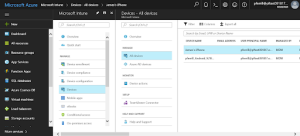
Microsoft intune is a cloud-based UEM tool that helps organizations to manage the mobile devices of employees. It manages user access and simples the device management across various devices including mobile devices, computers, and endpoints.It
Ratings:4.0/5
Pros
✅Seamless integration within the Microsoft ecosystem.
✅It is cloud based
✅Automated policy deployment
✅Supports integration with mobile threat defense solutions
Cons
❌Steep learning curve
❌Lack of customization
❌Integration with non-microsoft tools is hard
3. Neurons

Neuron owned by Ivanti is a platform which offers comprehensive enterprise mobility management to secure and manage corporate data when it accessed via mobile devices.MobileIron is well-suited for businesses with complex mobile security needs, especially those implementing Bring Your Own Device (BYOD) policies.
Ratings: 4.4 / 5
Pros
✅Extensive policy controls for app, device, and data security
✅Covers a wide range of devices, including Android, iOS, Chrome OS and more
✅Easy onboarding
Cons
❌It can be costly for smaller organizations compared to other MDM tools
❌Limited customization
Mobile VPN
A Virtual Private Network (VPN) creates a secure, encrypted connection between mobile devices and enterprise networks,ensuring sensitive data remains safe during transmission.VPNs are important when employees access company resources and data remotely through public networks
Key features to look:
👉The VPN should be easy for employees to connect without complex setup or configuration.
👉Check whether the VPN is slowing down internet speeds.
👉The VPN should integrate with existing security infrastructure
Top 3 VPN solutions
1.AnyConnect
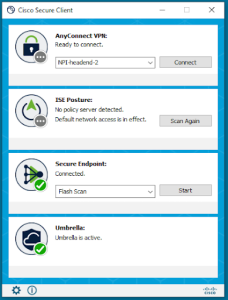
AnyConnect from Cisco is a VPN driven by policy to secure remote employee’s network across wired, wireless, and home networks. Cisco AnyConnect is highly scalable and integrates with other Cisco security solutions, making it ideal for enterprises with complex IT infrastructures.
Ratings: 4.4/5
Pros
✅Can be integrated easily with Cisco ecosystem
✅Supported on both iOS and Android
Cons
❌Price is high,some small enterprises might find it a bit expensive
❌Setting up Cisco AnyConnect VPn can be complex for enterprise without Cisco systems and knowledge.
2.Perimeter 81

Perimeter 81 is a modern cloud-based VPN solution from leading cybersecurity firm check point. It offers secure remote access to employees and granular access controls for authorized users.Its centralized management console allows IT teams to manage and monitor easily.
Pros
✅It also supports zero trust security model implementation
✅It can integrated easily with existing tools and workflows
✅Uses top-tier encryption (AES-256) to protect data in transit.
Cons
❌As it new for market, it may not have the same extensive track record as some competitors.
3.NordLayer

NordLayer is a flexible and secure mobile VPN solution designed for enterprises and commercial use. The solution provides a cloud-based architecture, making it scalable for organizations of all sizes. NordLayer also includes centralized control, allowing IT teams to configure and monitor VPN connections.
Ratings: 4.6/5
Pros
✅User-friendly interface for employees and IT admins alike.
✅Easy to deploy and use
Cons
❌Limited to small set of server locations
❌Pricing might be a issue for SMBs to get all the features
❌Compared to other enterprise-grade VPNs, it may offer fewer customization options
Data Loss Prevention (DLP) Solutions
Data Loss Prevention Solutions tools help organizations to prevent the intentional or accidental leak of sensitive data by employees. For mobile devices, DLP tools help security teams to monitor and control the flow of data across apps ,emails, and cloud services.
Key features to look:
👉Does it encrypts sensitive data in transit and at rest?
👉Does it provide real-time notifications if sensitive data is being accessed or shared by employee that violates compliance and companies policies?
👉Can it apply different policies based on the user roles, device location, and more ?
Top 3 DLP solutions :
1.Forcepoint DLP
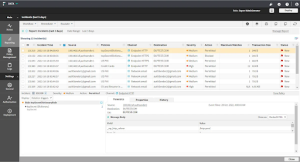
Forcepoint offers a comprehensive DLP solution for mobile devices that monitors user activity and protects sensitive data across multiple platforms, including mobile applications and cloud services.
Ratings:4.3/5
Pros
✅Offers policy templates for major data privacy regulations
✅Consumes only minimum resources
✅It also provides behavioural analytics
Cons
- ❌Steep learning curve
2.Symantec DLP

Symantec DLP offers a solution to monitor and control data transfer across mobile devices. It detects and prevents sensitive data from being shared or leaked via email, text messages, or cloud services.
Ratings:4.4/5
Pros
✅User friendly UI and easy to access
✅Faster data recovery
✅Single console for monitoring and managing devices
Cons
❌Expensive compared to other tools
❌Integration can be challenging
3.Digital Guardian
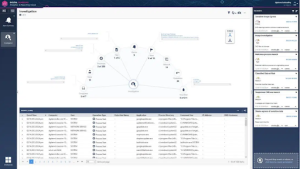
Digital Guardian by fortra is a DLP solutions designed to secure sensitive data across mobile devices, including encryption, content inspection, and access control to prevent data breaches.
Ratings:4.5/5
Pros
✅Offers API integration with major third-party vendors
✅Automated data discovery and classification
✅Support Windows, Linux, and Mac OS.
Cons
- ❌Challenging to configure and manage policies
Related Reading: 10 Reasons to Update Your Oudated Data Security Policy
Mobile Threat Defense (MTD)
As mobile threats continue are also getting sophisticated, traditional security tools like antivirus software and firewalls are no longer powerful enough to stop modern threats. Mobile Threat Defense (MTD) solutions provide advanced protection against zero-day vulnerabilities, mobile malware, phishing attacks, and other threats specific to mobile devices.These tools often work alongside with MDM/EMM increase the security in each layer.
When Choosing MTD look for solutions that provide
👉Does it provide continuous monitoring for suspicious activity ?
👉Can it block phishing attempts via email, SMS, or websites.
👉It should be able to identity the malicious apps that exhibit unusual behaviour.
👉Does it offer protection against unsecured Wi-Fi networks?
Related Reading: How AI is Shaping the Future of Mobile Application Security
Top 3 MTD solutions include:
1.Lookout
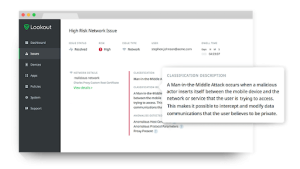
Lookout provides advanced threat protection with machine learning-powered anomaly detection. It offers comprehensive protection against app-based threats, network vulnerabilities, and device exploits. Lookout’s solution also integrates with MDM and EMM tools to give organizations a unified security approach.
Ratings: 4.5/5
Pros
✅Offers continuous, real time protection against mobile threats.
✅Supports both iOS and Android devices
✅User friendly interface
Cons
❌Some users reported increased battery consumption
2.Zimperium
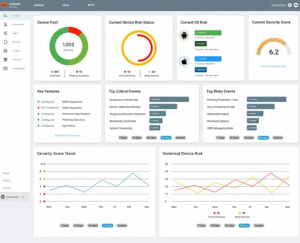
Zimperium offers real-time mobile threat detection that protects against malware, phishing, network attacks, and device exploits. Its solution is designed to detect threats in real time, preventing them before they can compromise enterprise data.
Ratings: 4.4/5
Pros
✅Detects threats by analyzing app behavior and device activity
✅Can be integrated with wide variety security tools
✅User-friendly interface
✅Support forensics for threat hunting
Cons
❌Steep learning curve
❌Some users reported it generates numerous false positives
3.Symantec Endpoint Protection Mobile (SEPM)

SEPM provides advanced mobile threat defense that includes app analysis, network threat detection, and behavioral analytics to detect and stop mobile threats before they can impact enterprise systems.It also uses threat intelligence to protect mobiles from network based threats and malware.
Ratings: 4.2/5
Pros
✅AI-based threat detection and risk reduction
✅Can be integrated with CASB, DLP and other security tools
✅Effective against malicious and unsecure Wi-Fi networks.
Cons
❌Device boarding is challenging
Conclusion
Mobile security is more complex than before, requiring a multifaceted approach to prevent data leaks and cyberattacks.By choosing the right combination of MDM, VPN, and other solution, businesses can protect their mobile devices from modern threats.
Moreover, implementing best practices and maintaining cyber hygiene is also important for the organization’s security posture.As mobile devices become inseparable from employee due to BYOD, remote, and other factors, staying ahead of threats is always important in maintaining strong security posture.
Implementing ideas and recommendations from this buyer’s guide will help organizations to streamline their cybersecurity approach towards mobile phones.