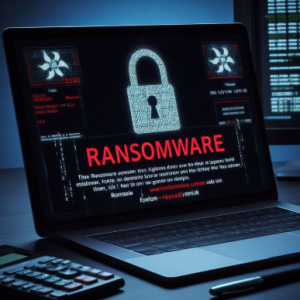
Ransomware is a type of malware that locks your files or systems and demands money to unlock them. These attacks have been increasing rapidly, hitting not just big companies but also individuals, hospitals, schools, and small businesses. In June 2025, United Natural Foods Inc. (UNFI) a major food distributor for Whole Foods suffered a suspected ransomware attack, causing IT system shutdowns and supply disruptions across North America. Such incidents highlight how ransomware can affect everyday services. As threats keep growing, it’s important to stay alert and learn how to protect your data.
What is Ransomware?
How Ransomware Spreads
- Phishing Email : Fake emails with harmful attachments or links.
- Drive-by Downloads / Malvertising : Visiting unsafe websites or clicking malicious ads.
- Infected USBs & External Devices : Plugging in compromised drives can introduce malware.
- Unpatched Software & RDP Exploits : Hackers use old software flaws or weak remote login systems.
- Supply-chain & Service Provider Attacks : Compromising legitimate tools or networks that then spread ransomware .
Types of Ransomware
- Crypto Ransomware : Encrypts your files and asks for money to unlock them.
- Locker Ransomware : Locks your screen or device so you can’t use it anymore.
- Scareware : Shows fake virus warnings or pop-ups to trick you into paying.
-
-
-
-
-
-
- Leakware / Doxware : Encrypts or steals your data and threatens to publish it if you don’t pay.
- Ransomware-as-a-Service (RaaS) : Criminals rent ready-made ransomware tools from experts.
-
-
-
-
-
How to Stay Safe

Preventive Measures
- Use strong and unique passwords :Avoid easy passwords. Use a mix of letters, numbers, and symbols. Enable two-factor authentication wherever possible.
- Keep software and systems updated : Always install updates for your operating system, apps, antivirus, and security tools to fix known security gaps.
- Think before you click : Don’t open email attachments or click on links from unknown or suspicious sources. Most ransomware starts with a careless click.
- Backup your data regularly :Keep copies of important files on an external hard drive or a secure cloud service, so you can recover them if they’re encrypted.
- Install trusted antivirus and anti-malware tools :These tools can detect and block threats before they harm your device.
- Limit user access and permissions :Give users the minimum level of access they need, especially in schools, offices, or shared networks.
- Disable macros and remote desktop (RDP) when not needed : Macros and remote access are common entry points for attackers.
Incident Steps and Response
- Disconnect the infected system immediately : Remove it from the network to stop the ransomware from spreading to other devices.
- Report the incident to the IT/security team or authorities : Inform your cybersecurity team or report to a cybercrime helpline (like CERT-IN in India or CISA in the U.S.).
- Do not pay the ransom : Paying doesn’t guarantee file recovery and may encourage further attacks. Always look for safer recovery options first.
- Identify the ransomware strain : Use tools like ID Ransomware or consult cybersecurity experts to understand what type of ransomware hit you.
- Recover from backups if available : Use clean backups to restore your files and systems after confirming the infection is fully removed.
- Scan and clean all systems : Run a full antivirus scan to ensure no trace of malware remains on any connected devices.
- Learn from the attack : After recovery, review how the attack happened and improve your security measures to prevent future incidents.
Case Study or Recent Ransomware
- United Natural Foods (UNFI) Ransomware Disruption (June 2025)

In June 2025, United Natural Foods Inc. (UNFI), a major supplier for Whole Foods and other grocery chains, detected unauthorized activity in its IT systems. To stop the threat, it shut down parts of its network, disrupting deliveries to thousands of stores across North America. While ransomware hasn’t been confirmed, experts suspect extortion. The incident caused stock shortages in supermarkets and showed how a single vendor issue can impact entire supply chains. UNFI is working with cyber experts and law enforcement to recover and resume normal operations.
- Play Ransomware Zero‑Day Attacks on Infrastructure (May–June 2025)

Between May and June 2025, the Play ransomware group exploited a zero-day flaw in remote-access tool SimpleHelp, hitting around 900 organizations across the Americas and Europe. Victims included utilities, public services, and businesses. The attack used double extortion encryption plus data theft and new techniques targeting weaknesses in Windows logging. The FBI and CISA confirmed the breach and issued urgent alerts. The incident highlighted the critical need to patch vulnerabilities and secure remote access tools before attackers strike.
Useful Tools & Resources
Tools
- Malwarebytes : A trusted security tool that scans your device for harmful software, including ransomware, and helps you safely remove it.

- Microsoft Defender : Built into Windows systems, this tool gives real-time protection by spotting and blocking ransomware before it causes harm.

- Bitdefender Anti-Ransomware : A simple tool that stops known ransomware from encrypting your files by detecting suspicious activity early.

- Emsisoft Emergency Kit : A portable scanner you can run without installing. It’s handy for cleaning infected devices during emergencies.


Resources
- No More Ransom Project :A global platform that offers free decryption tools and educational material.
- ID Ransomware : It identifies the type of ransomware based on ransom notes or sample files.
- VirusTotal : Lets you to scan files or links with many antivirus engines to detect threats.
- CISA Stop Ransomware Portal :Offers official alerts, response guides, and protection advice.
- Europol’s Cybercrime Centre (EC3) :Provides ransomware updates, public safety campaigns, and international support.
Conclusion
Ransomware continues to grow smarter and more dangerous, targeting individuals, companies, hospitals, and schools alike. As these attacks become more common, staying alert and following basic safety steps is more important than ever. Regular updates, strong passwords, backups, and careful online behavior can make a big difference. With the right tools and awareness, we can reduce the risk and protect our data from being held hostage.
Don’t wait until it’s too late. Start backing up your data, update your devices regularly, and stay informed about the latest threats. Share this blog with your friends, family, or team to help them stay protected too. Together, we can build a safer digital world one smart step at a time.