With cyberattacks and data breaches are increasing rapidly, strong security measures for networks crucial. Fortunately, there are many powerful network security tools available in the market, but choosing what you need is challenging.
This buyer’s guide will introduce you to some of the top network security tools in the market, including paid and open-source options with the pros and cons of each tool.
1.Snort

Snort is a popular open-source intrusion detection and prevention system (IDPS) built by Martin Roesch and maintained by Cisco Systems. Its main focus is to detect threats based on predefined rules and protocols.
Snort is often used by the security teams as a part of a multi-faceted cybersecurity strategy along with firewalls, XDR, etc. Snort can also perform protocol analysis and detect frequent attacks on IT infrastructure.
Pros
✅Cost-effective network security tools.
✅Snort can detect various attacks and threats in real-time including DDoS(Denial of Service).
✅As an open-source project, snort benefits from a large user base and extensive documentation.
✅Snort can be utilized as an intrusion detection system(IDS), intrusion prevention system(IPS), or a network monitoring tool, making it one of the versatile and cost-effective solutions that can cater different security needs of the organization
Cons
❌Snort can generate numerous false positives, if not configured properly. This can lead to alert fatigue.
❌Steep learning curve for new users.
2.Nessus
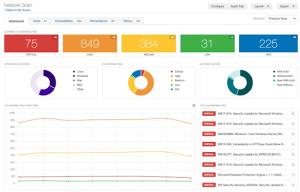
Tenable Nessus is one of the popular vulnerability scanning tools designed to identify vulnerabilities and misconfigurations in networks, devices, and applications. It comes with around 450 pre-configured templates and plugins for auditing networks, and users can also develop their plugins for networks.
Pros
✅Nessus scans for a wide range of vulnerabilities, such as misconfigurations, missing patches, and outdated software versions. It also checks for compliance-related vulnerabilities like ISO 27001/9001, HIPAA, PCI DSS, NIST, and other regulations.
✅Nessus can perform automated vulnerability scans without human intervention.
✅Nessus can be integrated with other network security tools, such as SIEM(Security Information and Event Management), SOAR(Security Orchestration, Automation, and Response), etc for a comprehensive security strategy.
Cons
❌While Nessus offers a free version with limited features(Nessus Essentials), the full-featured version(Nessus Professional) can be quite expensive for SMBs with tight budgets.
❌Consumes significant resources when it performs deep scanning.
❌Initial configuration can be challenging.
3.Wireshark
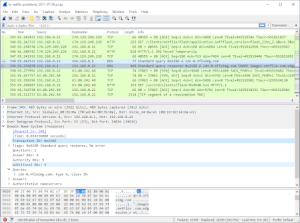
Wireshark is an open-source protocol analyzer for networks that helps security teams to capture and analyze network traffic in real-time. Wireshark’s ability to inspect every minute detail of network packets makes it a favorite tool for network security engineers.
Pros
✅Wireshark is one of the free network security tools, which is an excellent choice for organizations with tight budgets.
✅Wireshark supports more than a thousand protocols including TCP/IP, DNS, HTTP, and more, making it an all-rounder network analyzer.
✅Wireshark supports deep packet inspection.
Cons
❌Cant monitor Wifi-networks
❌It can be overwhelmed by the noisy networks or the amount of packets.
4.Nmap
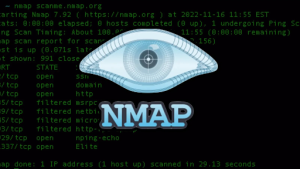
Nmap is a popular open-source tool for network scanning and vulnerability scanning. It helps security teams discover devices on the network, map out networks, and identify open ports and services.
Pros
✅Compatible with all popular and widely used operating systems.
✅Provides detailed info of the network in a single centralized view.
✅Integration with other security tools and platforms.
Cons
❌Limited reporting features compared to commercially available tools.
❌Firewalls and network security measures might block Nmap scans.
❌Utilizing advanced features might require knowledge of scripting and networking protocols.
5.Palo Alto Networks Next-Gen Firewall
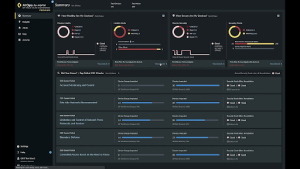
Palo Alto is a leading player in the firewall market that offers next-gen firewalls with advanced features like intrusion prevention, threat intelligence, and AI-powered threat detection. It is widely deployed in enterprise environments.
Pros
✅It also offers cloud security and secure access to cloud applications.
✅Even low-cost firewall(hardware and software) from Palo Alto comes with AI-policy recommendations, IoT device support, and ML-based threat detection.
✅With virtual firewalls, it supports Azure, AWS,5G, and Containers.
✅It is highly scalable.
Cons
❌High upfront and ongoing subscription costs.
❌Configuration can be challenging and time consuming.
6.Aircrack-ng
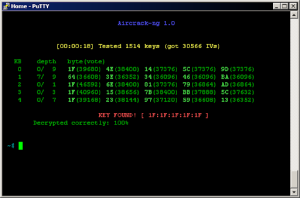
Aircrack-ng is a suite of tools designed to assess the security of wireless networks in the IT infrastructure. It can perform packet capture, network scanning, and more, making it ideal for pentesters and network admins to ensure the safety of wireless networks.
Pros
✅Strong community support as it has one of the largest active users.
✅Aircrack-ng supports various wireless standards(802.11a/b/g/n/ac)
Cons
❌The steep learning curve as it’s based on command-line tools with complex syntax.
❌Difficult to install on non-Linux systems.
❌it can be detected and blocked by firewalls.
7.SolarWinds Network Configuration Manager
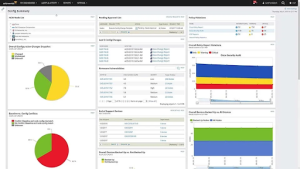
SolarWinds Network Configuration Manager(NCM) helps security teams manage their network devices by automating backups, auditing, and configuration compliance. It is useful to ensure the integrity of the network configurations in IT infrastructure.
Pros
✅Ensures network configuration data is always backed up to avoid business disruptions during security incidents.
✅Easy-to-use dashboard for managing networks.
✅Support compliance with standards like HIPAA, PCI DSS, and more.
Cons
❌The pricing can be high for SMBs.
❌It focuses solely on network device configuration management.
Conclusion
Choosing the right security tool largely depends on your security team’s needs, budget, and the maturity of your organization. Free and open-source tools are great for hands-on security assessments, while paid solutions offer enterprise-level features for network security. In any case, it’s important to consider the aims of your organization’s security teams and the resources you can spend before making your decision.
Related Reading:How to Perform a Comprehensive Network Security Audit